How Ilonai is designed to work
Context-aware local AI on dedicated hardware. Camera images stay on a private network. People are brought in only when the machine sees a possible emergency. This is the architecture we are building — not a deployed product.
The idea in one line
The machine watches for a fall so people do not have to watch the person.
1. Local cameras
Approved PoE network cameras on a private wired network
2. Local AI
A dedicated computer on site runs the detector
3. Narrow alert
Heartbeat always; a confirmation image only if help may be needed
4. Local incident clip
A short rolling buffer can be frozen — still on the box
Architecture
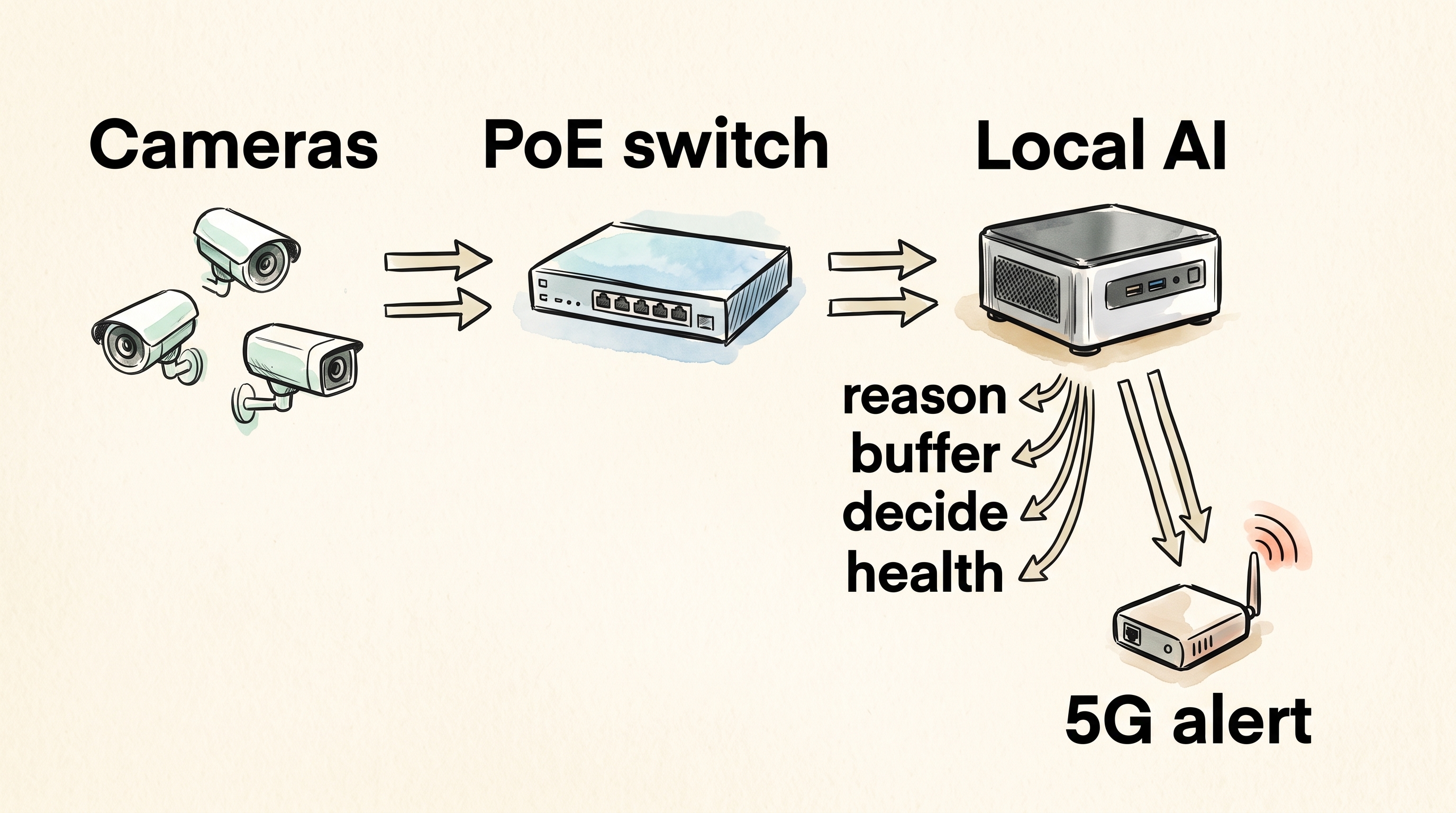
Why a local AI appliance, not AI inside each camera or in the cloud?
Small in-camera processors have a limited compute budget. Cloud AI can run larger models, but imagery leaves the premises. Ilonai’s middle ground: more compute than a typical smart camera, less privacy exposure than cloud inference.
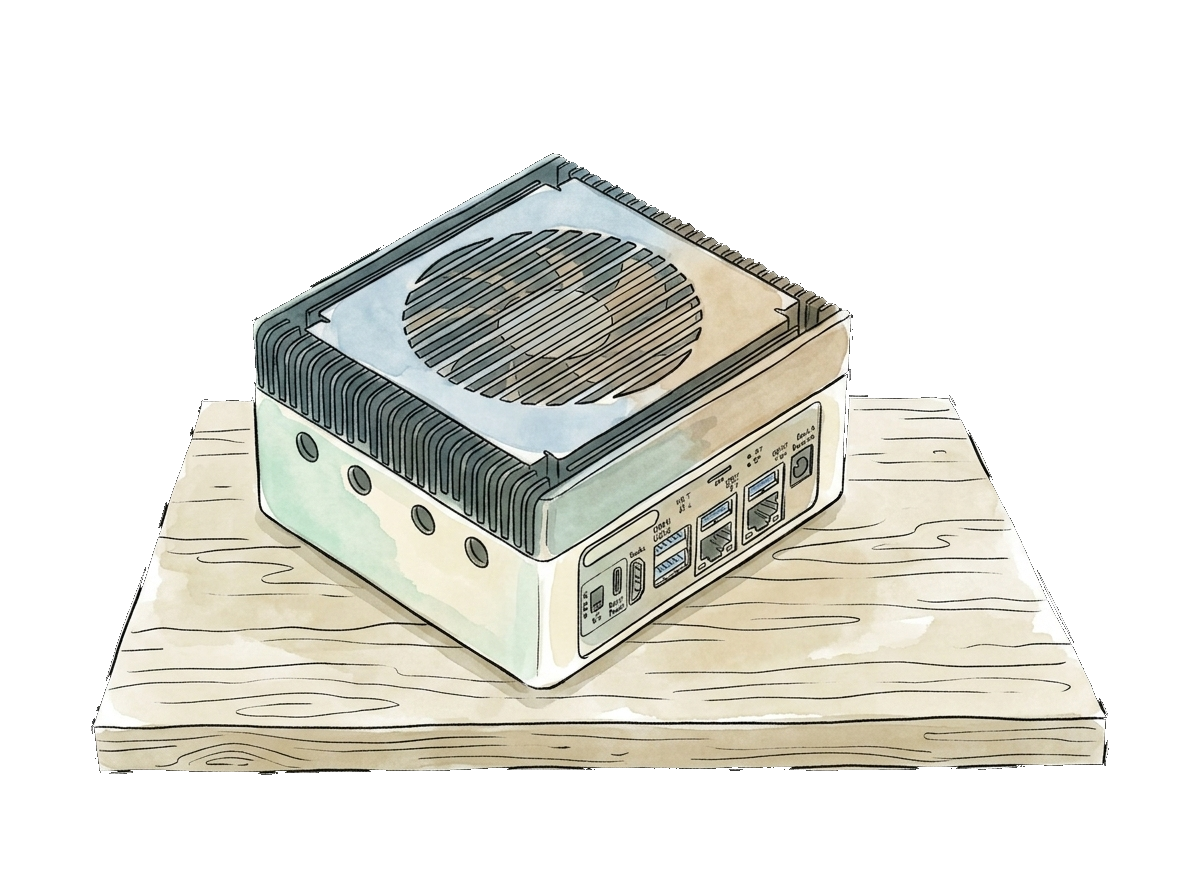
The cameras are meant to stay “dumb sensors.” Intelligence lives on the local box. Several inexpensive cameras can share one AI node. We will publish camera-count ranges only after we have measured them.
We will qualify an approved camera list. We do not promise that arbitrary third-party cameras will work.
What happens to video
Normal operation
- • Analysis runs locally
- • A short encrypted rolling buffer (about 10–15 seconds) is continuously overwritten
- • Video is not retained as a recording of the day
- • No image is transmitted
- • No activity history is created
- • A small health heartbeat can leave the system
Possible fall
- • The detector flags an event locally
- • One confirmation image can go to a designated guardian or caregiver
- • The rolling buffer can be frozen, plus a short post-event window
- • That clip stays on the local computer, encrypted, with access controls
- • It is not a live feed, and it is not uploaded as ordinary cloud video
If nothing happens, no image leaves the system.
The AI (without the jargon)
For a general audience: context-aware local AI.
For technical readers, if this remains accurate as we ship: a fine-tuned multimodal / vision-language model on dedicated local hardware — richer than a tiny object detector, still on premises. We do not put model brand names on the homepage.
The public site will not describe proprietary internals.
The detector is not designed to learn how someone spends their day, measure sleep, or build a behavioral profile.
Isolated network
Your home network does not need to become a surveillance network. For facilities, resident cameras need not sit on ordinary Wi-Fi.
Intended benefits: less dependence on customer IT, a smaller attack surface, no camera access from everyday household or office devices, and cellular alerts that do not require port forwarding.
Optional backup power may be part of a later hardware package. We do not promise a UPS runtime until that package is defined.
It should tell you when protection is interrupted
- Cameras must keep delivering valid frames
- The AI computer sends a regular health heartbeat
- Missed heartbeats can show a lost cellular link
- Extended mains-power loss can notify guardians or staff
- Recovery can be reported when power returns
- Local detection can continue according to available backup power even if the external link is down
Silence should mean “everything is fine,” not “the system stopped working.”
What Ilonai is not
Ilonai is not designed to:
- provide live camera viewing
- let family check in visually whenever they want
- record conversations
- identify faces
- track where somebody spends their day
- measure sleep or daily routines
- score activity or build a behavioral timeline
- upload ordinary camera footage to a cloud
- use resident footage for model training without separate explicit permission
Alerts
The intended path is simple: designated people get a notification, a confirmation image, and a decision to check in or call for help. Nurse-call integration is on the roadmap, not a current offering.